Apna Meter Apni Reading 2026 – Complete Guide for LESCO Consumers:
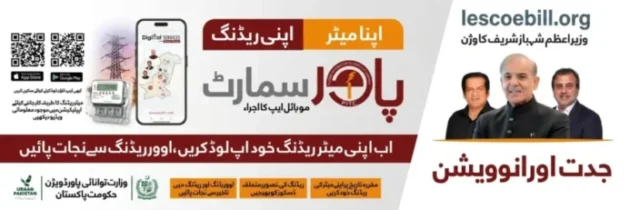
Apna Meter Apni Reading (اپنا میٹر اپنی ریڈنگ) or Customer Meter Reading – Digital Service is an excellent initiative by the Prime Minister of Pakistan, Muhammad Shehbaz Sharif, which enables LESCO consumers to note down their meter reading by themselves. Consumers can note down and send this reading to the related department to avoid and prevent any overcharging disputes.
Now you can upload and submit your meter reading directly from your smartphone and get rid of any kind of over-reading. To do this, you simply need to install the Power Smart (پاور سمارٹ) app, available on the Play Store, on your mobile device.
Here is a comprehensive guide on how to do your meter reading by yourself.
Introduction:
The Apna Meter Apni Reading is a self-meter reading system through which consumers can take a photo of their LESCO meters and upload it through the Power Smart app. Now you don’t just rely on the meter readers, but you do your own reading and submit it to LESCO within the designated time frame. Then LESCO does the bill generation based on this reading. By the way, you can apply for a new connection (apna meter) here.
Applicable:
This system is applicable across almost all electricity suppliers (DISCOs) in Pakistan, as
Purpose of Apna Meter Apni Reading:
Just like other departments across the country, LESCO is improving its services by digitizing its operations and systems. When it comes to meter reading, the consumers have had so many complaints, for example:
These are all the reasons for this initiative, and the core objective of Apna Meter Apni Reading is to solve and eliminate all the above-mentioned problems.
How to Use Apna Meter Apni Reading?
To use this system and to do your own meter reading, 1st of all, you need to download the Power Smart app. This app is available at:
How to Use the App?
Once you have downloaded the app, you need to follow the guidelines below to submit your meter reading.
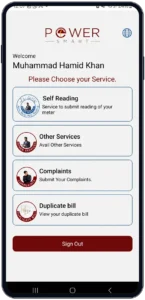
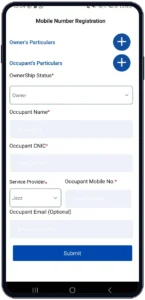
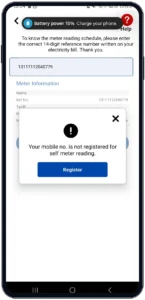
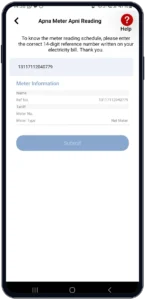
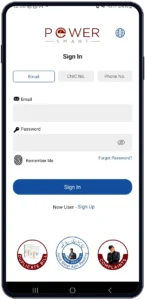
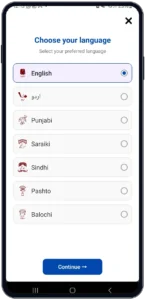
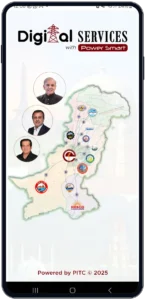
Step-By-Step Guide:
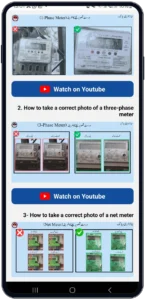
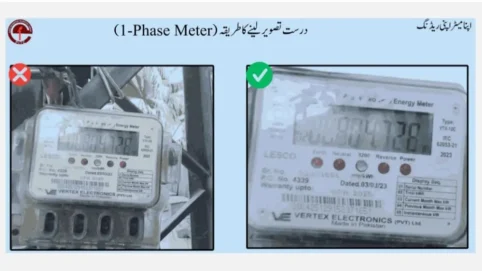
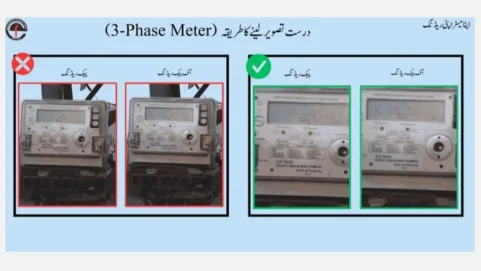
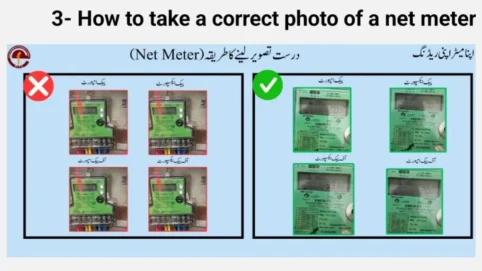
How to Take Pictures of Your Meter?
This is how you need to take the photos of your meter while submitting the self-meter reading.
Correct photo of a Single-Phase meter
Correct photo of a Three-Phase meter
Correct photo of a Net-meter
Major Benefits of Apna Meter Apni Reading:
Some of the major benefits of this great initiative by the Prime Minister of Pakistan and Uraan Pakistan (National Economic Transformation Plan 2024–2029) are given below.
Accurate Billing:
Consumers can submit their own readings, and hence the chance of over-billing or incorrect readings will automatically be reduced.
No Corruption:
Since the reliance on the manual meter reader is reduced, the chance of corruption through meter reading is also decreased.
Transparency:
Customers know exactly what their meter reading is. Now the process is more transparent, and customers are more satisfied.
Quick Resolution:
If there is a billing dispute and a customer registers a complaint, it can be resolved more quickly because the customer has the exact reading.
Digital Record:
Consumers can keep a record of their meter readings. It can be used in the future. If you know your consumed units, you can calculate your LESCO bill in advance.
Stay Protected:
One of the major benefits of Apna Meter Apni Reading is that consumer can monitor their unit consumption and plan their electrical usage to stay under 200 units slab.
Who Can Use This?
All kinds of consumers from any DISCOs can use this service and do their own billing across Pakistan. Especially if we talk about LESCO, there are three types of consumers,
All three of the categories can avail this service, depending on the implementation status in the specific region.
Guidelines for Meter Reading Submission:
Before submitting the reading through the Power Smart app, you need to keep the following guidelines in mind. This is how you can avoid rejection of your submission.
Useful Tips for Consumers:
You can follow these tips in order to get maximum benefit from the self-meter reading system.
Final Words:
In short, Apna Meter Apni Reading system is a great initiative towards the digitalization of electricity supply companies. By enabling the consumers to submit and track their meter readings by themselves, NEPRA has reduced the chance of overcharging, billing disputes, corruption, and lack of transparency. Furthermore, this will enhance the customer experience and satisfaction. By tracking their consumption, the protected consumer can get great benefits of staying in the category of under 200 units every month. But still, if there is any dispute, you can register a complaint here, and your issue will be resolved.